A well-organized conference agenda helps attendees understand what will happen during an event, when each session begins, and where they need to go. Whether you are planning a business conference, an academic meeting, or a professional networking event, a clear agenda keeps speakers, organizers, and participants on the same page.
A conference often includes several activities, such as keynote presentations, panel discussions, workshops, networking breaks, and closing remarks. Without a structured schedule, attendees may miss important sessions or struggle to find the information they need. A detailed conference agenda provides one reliable reference throughout the event.
Using a printable conference agenda template can also save planning time. You can organize session times, presentation titles, speaker names, locations, and additional notes in a consistent format. In this guide, you will learn what a conference agenda should include, how to create one, and how to make it useful for both organizers and attendees.
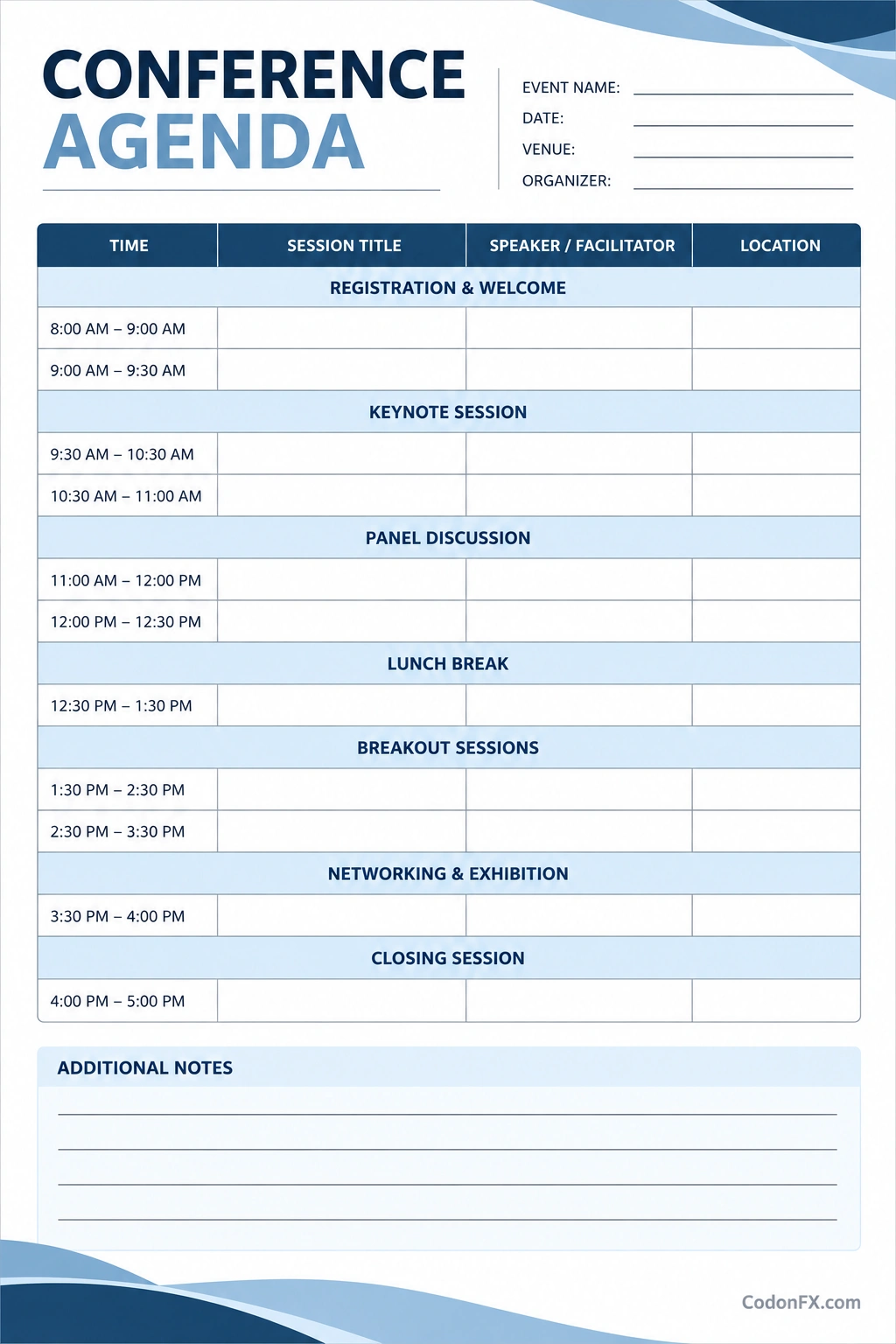
What Is a Conference Agenda?
A conference agenda is a structured document that outlines the activities planned for a conference. It presents the event schedule in chronological order so attendees can easily see what is happening throughout the day or across multiple days.
Depending on the event, a conference agenda may include presentation titles, speaker names, session descriptions, room assignments, break times, and networking opportunities. It can be shared as a printed handout, a PDF, a webpage, or part of a digital event platform.
A conference agenda is useful for many types of events, including:
- Business conferences: Coordinate keynote speeches, industry presentations, and networking sessions.
- Academic conferences: Organize research presentations, panel discussions, and question-and-answer sessions.
- Professional development events: Schedule training sessions, workshops, and expert talks.
- Technology conferences: Arrange product demonstrations, technical presentations, and breakout sessions.
- Community and nonprofit events: Communicate discussion topics, guest speakers, and planned activities.
Why a Conference Agenda Is Important
A clear agenda is more than a list of times and topics. It is an essential communication tool that helps attendees navigate the event and allows organizers to coordinate activities efficiently.
Helps Attendees Plan Their Day
Attendees can review the agenda before arriving and identify the sessions most relevant to their interests. They can also plan breaks, prepare questions, and decide when to meet other participants.
Keeps the Event Organized
Organizers can use the schedule to coordinate speakers, rooms, technical equipment, and event staff. A shared timetable makes it easier to identify scheduling conflicts and prepare for transitions between sessions.
Sets Clear Expectations
Publishing session titles, start times, locations, and speaker details helps participants understand what each part of the event will cover. Clear information reduces confusion and gives attendees a better experience.
Supports Time Management
Allocating a specific duration to each session encourages presenters and moderators to stay focused. Planned breaks also give attendees time to rest, network, and move between rooms without disrupting the next activity.
Improves Communication
A central agenda reduces the need for repeated questions about timing and locations. If changes occur, organizers can update the master schedule and communicate revisions through the appropriate event channels.
What to Include in a Conference Agenda Template
A useful conference agenda template should present essential information clearly. Customize the fields to match the event’s size, format, and objectives.
Event Information
Start with the conference name, date, venue, and organizing team. For virtual or hybrid events, include the online platform or instructions for accessing remote sessions.
Session Times and Titles
List every activity in chronological order, including its start time and expected end time. Use descriptive session titles so attendees can understand the subject without needing to ask for additional information.
Speaker and Presenter Details
Include the names of keynote speakers, presenters, panelists, and facilitators. Add their roles or affiliations when useful. Confirm spelling and titles before publishing the final agenda.
Locations and Room Assignments
For in-person events, specify the room name, floor, or venue area for each session. If the conference uses multiple rooms, provide clear directions or a venue map where appropriate.
Breaks and Networking Opportunities
Schedule time for refreshments, lunch, networking, and movement between sessions. These intervals help the event run smoothly and give attendees opportunities to connect with speakers and other participants.
Additional Notes
Use a notes section for important instructions, accessibility information, presentation requirements, or contact details for event assistance. Keep essential attendee information easy to find rather than hiding it in lengthy descriptions.
How to Create a Conference Agenda Step by Step
Building an effective conference agenda begins with clear objectives and realistic time allocations. Follow these steps to create a schedule that supports both the event team and its attendees.
Define the Conference Goals
Determine what the event should accomplish. A conference designed for professional learning may prioritize workshops and expert presentations, while an industry event may focus on keynote speeches, demonstrations, and networking. Let these goals guide your session selection.
Identify Sessions and Speakers
List the presentations, discussions, workshops, and activities that support your objectives. Confirm speaker availability, presentation length, technical needs, and any requirements for audience participation before assigning time slots.
Arrange Activities in a Logical Order
Begin with registration or a welcome session, then schedule the main presentations and supporting activities. Place related sessions together when practical, and avoid forcing attendees to move between distant rooms in a short interval.
Allocate Realistic Time Slots
Give each session enough time for its content and any planned questions. Include transition periods between activities and avoid filling every minute of the schedule. A small buffer can help the event recover from minor delays.
Review the Schedule With Stakeholders
Share the draft agenda with speakers, moderators, venue staff, and relevant organizers. Confirm session titles, times, room assignments, and equipment needs. Resolve overlapping commitments before publishing the final version.
Publish and Update the Final Agenda
Distribute the agenda in a format that attendees can access easily. A printable PDF is useful for handouts, while a digital version is convenient for mobile devices. Include a clear update process so participants can check the latest schedule if changes occur.
Example of a One-Day Conference Agenda
The following example illustrates how a business conference might be organized. Adjust the timing and activities to suit your event objectives and audience.
- 8:00 AM–9:00 AM: Registration and welcome refreshments.
- 9:00 AM–9:30 AM: Opening remarks and conference overview.
- 9:30 AM–10:30 AM: Keynote presentation.
- 10:30 AM–11:00 AM: Networking and refreshment break.
- 11:00 AM–12:00 PM: Panel discussion and audience questions.
- 12:00 PM–1:00 PM: Lunch break.
- 1:00 PM–2:30 PM: Workshops or breakout sessions.
- 2:30 PM–3:00 PM: Refreshment break.
- 3:00 PM–4:00 PM: Industry presentations and discussion.
- 4:00 PM–4:30 PM: Closing remarks and next steps.
This sample schedule is a starting point rather than a fixed format. Consider the number of speakers, session complexity, audience needs, and venue restrictions when deciding how long each activity should last.
Tips for Designing a Professional Conference Agenda
A well-designed agenda should be easy to scan quickly, whether attendees view it on paper or on a screen. Use a consistent layout and prioritize information that helps people navigate the event.
- Use clear headings: Separate event details, session schedules, and additional information.
- Keep the layout readable: Choose legible fonts, sufficient spacing, and strong contrast between text and background.
- Highlight important sessions: Make keynote presentations and major activities easy to identify.
- Use consistent time formatting: Apply the same format throughout the agenda and specify the time zone when necessary.
- Make it easy to update: Keep an editable master copy so organizers can correct errors or revise session details.
- Consider accessibility: Use readable text, clear labels, and accessible digital formats whenever possible.
- Check every detail: Verify speaker names, room numbers, session times, and event dates before distribution.
Common Conference Agenda Mistakes to Avoid
Even a visually appealing schedule can cause problems if it leaves out essential details or ignores practical limitations. Watch for these common mistakes:
- Overloading the schedule: Too many sessions with no breathing room can leave attendees tired and behind schedule.
- Leaving out locations: Include room assignments or access instructions for every relevant session.
- Ignoring transition time: Allow participants and speakers enough time to move between activities.
- Using vague session titles: Describe the topic clearly so attendees can decide whether it is relevant to them.
- Publishing outdated information: Update the agenda when speakers, times, or locations change.
- Forgetting accessibility needs: Consider access routes, breaks, and any published accommodations relevant to attendees.
Frequently Asked Questions About Conference Agendas
What is a conference agenda?
A conference agenda is a schedule of sessions, presentations, breaks, and other activities planned for a conference. It helps attendees understand the event structure and find the sessions they want to attend.
What should a conference agenda include?
A conference agenda should include the event name, date, session times, activity titles, speaker details, locations, and breaks. Depending on the event, it may also include registration information, access instructions, and contact details.
How do I create a conference agenda template?
Start by defining the event goals, listing the sessions, confirming speaker availability, and allocating realistic time slots. Arrange activities in chronological order, add locations and other essential details, and review the draft before publishing it.
How far in advance should a conference agenda be published?
Publish the agenda as soon as the key details are sufficiently confirmed for attendees to plan. For larger events, an early preliminary schedule can be useful, followed by an updated version when session times and speakers are finalized.
What is the difference between a conference agenda and a conference program?
A conference agenda focuses on the schedule and sequence of activities. A conference program may include the agenda along with speaker biographies, session descriptions, sponsor information, venue details, and other event materials.
Should a conference agenda be printed or digital?
Both formats can be useful. A printable agenda provides a quick reference during the event, while a digital version is easier to distribute and update. Offering both can accommodate different attendee preferences.
How can I manage last-minute changes to a conference agenda?
Maintain one master version, update the affected session details, and notify attendees through the event website, email, or event platform. Make the latest version easy to identify so participants do not rely on outdated schedules.
Create a Clear and Useful Conference Agenda
A conference agenda is an essential planning tool that helps attendees navigate sessions and enables organizers to coordinate speakers, rooms, and event activities. A clear schedule sets expectations, supports time management, and contributes to a more professional conference experience.
Start with your event objectives, organize sessions in a logical order, and include accurate times, speaker details, and locations. Use a printable conference agenda template or digital schedule that is easy to read and update. With thoughtful planning and clear communication, you can help every attendee make the most of your conference.
Download: Conference Agenda Template
