In today’s fast-paced world, time is a valuable commodity. Whether you’re a busy professional juggling multiple tasks or a student trying to balance schoolwork with extracurricular activities, keeping track of how you spend your time is crucial for effective time management. This is where time logs come in handy.
A time log is a tool used to track how much time is spent on different activities, helping individuals and organizations improve time management, boost productivity, enhance project management, ensure accurate billing, and inform future planning and resource allocation.
What Is a Time Log
A time log is a record of how time is spent during a specific period, typically broken down into categories such as work tasks, personal activities, and leisure time. It can be kept manually using a pen and paper or digitally using time tracking software.
The purpose of a time log is to provide insights into where time is being spent, identify time-wasting habits, and optimize productivity.
Key Functions of Time Logs
Time logs serve several key functions that can benefit both individuals and organizations. By tracking time spent on different activities, time logs can help identify areas for improvement, increase accountability, and facilitate better time management. Additionally, time logs can be used to analyze patterns and trends in time usage, leading to more informed decision-making and resource allocation.
Improving Accountability
One of the key functions of time logs is to improve accountability in time management. By keeping track of how time is spent on various activities, individuals can hold themselves accountable for their productivity levels and time allocation. This increased sense of accountability can motivate individuals to stay focused on important tasks, meet deadlines, and avoid time-wasting habits.
Identifying Time-Wasting Habits
Time logs help individuals identify time-wasting habits that may be hindering their productivity. By analyzing the data recorded in the time log, individuals can pinpoint activities or tasks that consume excessive time without adding value. This awareness allows individuals to address these time-wasting habits, make necessary adjustments to their routines, and focus on tasks that contribute to their goals and priorities.
Optimizing Time Usage
Another important function of time logs is to optimize time usage by effectively allocating time to different activities. By reviewing the data in the time log, individuals can identify opportunities to streamline tasks, eliminate unnecessary activities, and prioritize important projects. This optimization of time usage leads to increased productivity, better time management, and a more efficient workflow.
Enhancing Project Management
Time logs play a crucial role in enhancing project management by providing valuable insights into project timelines, resource allocation, and task completion. By keeping detailed time logs for project-related activities, individuals and teams can track progress, monitor deadlines, and ensure that projects are completed on time and within budget. Time logs also help in identifying bottlenecks, allocating resources effectively, and making informed decisions for project planning and execution.
Facilitating Decision-Making
Time logs facilitate decision-making by providing data-driven insights into how time is being spent and where improvements can be made. By analyzing the data recorded in the time log, individuals can make informed decisions about their priorities, goals, and time management strategies. This data-driven approach helps in setting realistic expectations, identifying areas for optimization, and making adjustments to achieve better results in both personal and professional endeavors.
Why Do Businesses Need Time Logs?
For businesses, time logs are essential tools for tracking employee productivity, monitoring project progress, and ensuring accurate billing for client services. By keeping detailed time logs, businesses can identify inefficiencies in workflow, allocate resources more effectively, and improve overall project management. Time logs also help businesses stay organized, meet deadlines, and maintain a healthy work-life balance for employees.
Tracking Employee Productivity
Time logs are valuable for businesses to track employee productivity and performance. By monitoring the time spent on tasks and projects, managers can assess individual and team productivity levels, identify areas for improvement, and provide targeted support and guidance to enhance performance. Time logs also help in evaluating employee workloads, setting realistic goals, and optimizing resource allocation for better efficiency and productivity.
Monitoring Project Progress
Time logs are essential for monitoring project progress and ensuring that deadlines are met. By keeping detailed time logs for project-related activities, project managers can track task completion, identify bottlenecks, and make adjustments to project timelines as needed. Time logs provide a clear overview of project status, resource utilization, and potential risks, allowing for proactive decision-making and effective project management.
Ensuring Accurate Billing
Time logs play a critical role in ensuring accurate billing for client services in businesses that charge by the hour. By tracking the time spent on client projects or tasks, businesses can generate accurate invoices, account for billable hours, and maintain transparency with clients regarding service fees. Time logs help in documenting the work performed, establishing a basis for billing rates, and avoiding disputes over billing accuracy.
Optimizing Resource Allocation
Time logs help businesses optimize resource allocation by providing insights into how time and resources are being utilized across different projects and tasks. By analyzing the data recorded in time logs, managers can identify resource bottlenecks, allocate resources effectively, and prioritize high-impact projects. This optimization of resource allocation leads to improved productivity, reduced waste, and better outcomes for both the business and its clients.
Promoting Work-Life Balance
Time logs can also promote a healthy work-life balance in businesses by encouraging employees to track their time and prioritize tasks effectively. By using time logs to monitor work hours, break times, and personal activities, employees can establish boundaries between work and personal life, avoid burnout, and maintain overall well-being. Time logs foster a culture of work-life balance, employee wellness, and productivity in the workplace.
Different Types of Time Logs
Various types of time logs can be used depending on individual preferences and organizational needs. Some common types include daily time logs, weekly time logs, project-specific time logs, and client billing time logs. Each type of time log serves a specific purpose and can be customized to fit the unique requirements of the user.
Daily Time Logs
Daily time logs involve tracking activities and tasks daily, recording start and end times for each activity throughout the day. Daily time logs provide a detailed overview of how time is spent on different tasks and activities, helping individuals identify patterns, prioritize tasks, and optimize their daily routines for better time management.
Weekly Time Logs
Weekly time logs track activities and tasks over a week-long period, allowing individuals to review their time usage on a broader scale. Weekly time logs provide insights into long-term trends, productivity patterns, and areas for improvement over the course of a week. By using weekly time logs, individuals can make adjustments to their schedules, set goals for the upcoming week, and maintain consistency in time management.
Project-Specific Time Logs
Project-specific time logs are tailored to track time spent on specific projects or tasks, providing a detailed record of hours allocated to each project activity. Project-specific time logs help individuals and teams monitor progress, track project timelines, and ensure that tasks are completed within designated timeframes. By using project-specific time logs, businesses can optimize project management, meet deadlines, and deliver high-quality results to clients.
Client Billing Time Logs
Client billing time logs are used by businessesto track billable hours spent on client projects or services. These time logs are crucial for accurately billing clients based on the time spent on their projects, ensuring transparency and accountability in client billing. Client billing time logs help businesses maintain accurate records of billable hours, track client-specific tasks, and generate detailed invoices that reflect the value of services provided. By using client billing time logs, businesses can streamline their billing processes, avoid disputes over invoicing, and build trust with clients through transparent and accountable billing practices.
How to Use a Time Log for Time Management
To effectively use a time log for time management, it’s important to establish clear categories for tracking activities, set realistic goals for time allocation, and regularly review and analyze the data recorded in the time log. By identifying time-wasting habits, prioritizing important tasks, and adjusting schedules as needed, individuals can optimize their time usage and achieve better work-life balance.
Establish Clear Categories
When setting up a time log for time management, it’s essential to establish clear categories for tracking different activities. Categories can include work-related tasks, personal activities, leisure time, exercise, and any other significant activities you want to monitor. By categorizing your time log entries, you can gain a comprehensive overview of how you spend your time and identify areas for improvement.
Set Realistic Goals
Setting realistic goals for time allocation is key to effective time management using a time log. Determine how much time you want to allocate to each category or activity based on your priorities and commitments. Setting achievable goals helps you stay focused, manage your time effectively, and ensure that you allocate sufficient time to important tasks while maintaining a healthy balance between work and personal life.
Review and Analyze Data
Regularly reviewing and analyzing the data recorded in your time log is essential for effective time management. Take time to review your time log entries, identify patterns in your time usage, and analyze where you might be spending too much or too little time. By understanding how you allocate your time, you can make informed decisions about adjusting your schedule, prioritizing tasks, and optimizing your productivity.
Identify Time-Wasting Habits
One of the primary purposes of a time log is to identify time-wasting habits that may be hindering your productivity. Look for patterns in your time log data that reveal activities or tasks consuming excessive time without adding significant value. By recognizing these time-wasting habits, you can take steps to eliminate or minimize them, freeing up time for more meaningful and productive activities.
Prioritize Important Tasks
Using a time log can help you prioritize important tasks and focus on high-impact activities. Reviewing your time log data allows you to identify tasks that contribute the most to your goals and objectives. By prioritizing important tasks and allocating time accordingly, you can ensure that you make progress on significant projects, meet deadlines, and achieve desired outcomes promptly.
Adjust Schedules as Needed
Flexibility is key to effective time management, and using a time log can help you adjust your schedule as needed. If you notice inefficiencies or areas for improvement in your time log data, be open to making changes to your routine. Whether it’s reallocating time to different activities, modifying your schedule to accommodate priorities, or eliminating time-wasting habits, being willing to adjust your schedule can lead to better time management and improved productivity.
Free Time Log Template
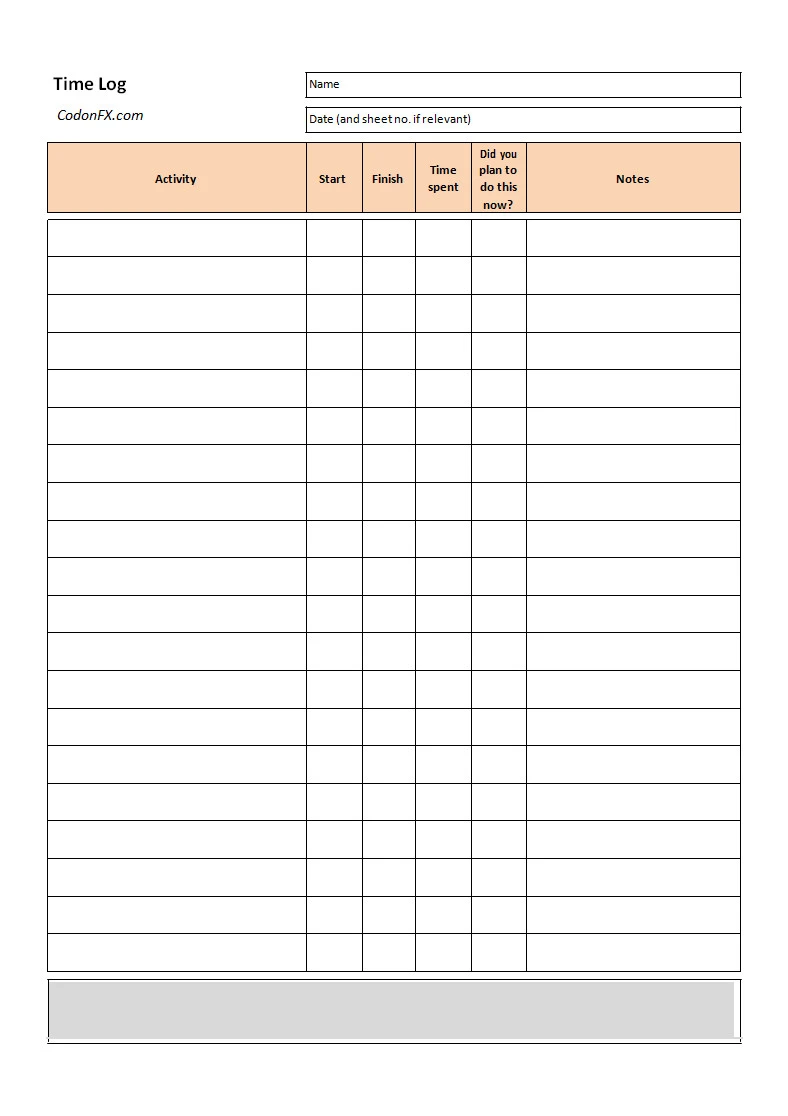
A Time Log helps you accurately track hours worked, tasks completed, and time spent on specific activities in a clear and organized format. It supports productivity, accountability, and accurate billing or payroll by providing a reliable record of time usage. With a well-designed template, you can manage your time more effectively and stay organized.
Download our Time Log Template today to track your time efficiently and maintain accurate records with confidence.
Time Log Template – DOWNLOAD
